
Mapping Norrath
FAVORS OF FORTUNE
Ready for the beta trail
Beta opened October 6, 2026. The expansion lists six new zones, and beta-client layouts are available in the atlas. Use dated survey notes to check paths, labels and encounter locations as beta changes.
Official preorder & beta announcement ↗Favors of Fortune artwork © 2026 Daybreak Game Company LLC. Official expansion page. Source credits.
- Start a separate map folder. In the beta installation, keep a dedicated mapping subfolder and dated backup copies. Preserve the current Good’s collection. Use the zone shortname saved by the game.
- Trace the actual zone. In EverQuest’s Map Toolbar, use Start Line → Add Point at turns → End Line. Auto Map adds points as you change direction. Trace paths, walls and floor transitions separately; add useful labels and Save Map regularly.
- Check the geometry here. Open the atlas, then Map tools → Files. Select the zone’s base TXT and its numbered layers together. Use elevation views and minimum/maximum Z to check stairs, floors and tunnels.
- Review and share a surveyed draft. Add the zone name, beta build/date, surveyed areas, missing areas and author credit. Publish reviewed TXT files below. Drafts appear in the shared library; adding a zone to the built-in atlas is a separate catalog update.
Drawing controls: EverQuest’s official cartography guide. Beta setup: official beta participation guide.
Survey notebook
Paste actual /loc coordinates in travel order: one Y, X, Z per line, followed by an optional label. Put a blank line between separate paths. The notebook creates straight segments between your measured points; it does not infer walls or terrain.
Open the downloaded file in the atlas to inspect it. Use a separate beta mapping folder; this file is your measured route and labels, not a complete zone map.
Coordinates & layers
In-game /loc uses Y, X, Z. Our map parser converts it to map coordinates −X, −Y, Z. Each zone has its own origin. The atlas readout shows both coordinate forms.
L x1, y1, z1, x2, y2, z2, red, green, blue
P x, y, z, red, green, blue, size, Label_Text
Keep geometry in the base zone.txt. Numbered files zone_1.txt, zone_2.txt and zone_3.txt are switchable layers. For Good’s, layer 1 generally covers friendly NPCs and services, layer 2 objectives and locations, and layer 3 rares or extra labels. Contents vary by zone.
Brewall’s construction standards are useful for legible labels, colors and zone connections. His layer 2 grid convention differs from Good’s; preserve the conventions of the map set you use.
Library snapshot copied October 4, 2026. It does not update when the game changes. Good’s Maps are preferred; Favors of Fortune beta-client layouts cover the new zones. Goodurden’s layer guide & current pack.
From geometry to artwork
Choose parchment or ink colors in Map tools → View, set the grid and labels, and save a PNG. Add your own notes in the Notes tab. Notes download with a separate filename so they can be reviewed before merging into a layer.
We use The Maps of Myrist as inspiration for warm parchment, terrain detail and readable landmarks, while keeping the measured coordinates behind each zone. Brewall’s Myrist location notes · official Norrath map artwork.
Field Guide rendering · Greater Faydark Coordinate Edition
Greater Faydark · Coordinate Edition
Field Guide cartographic rendering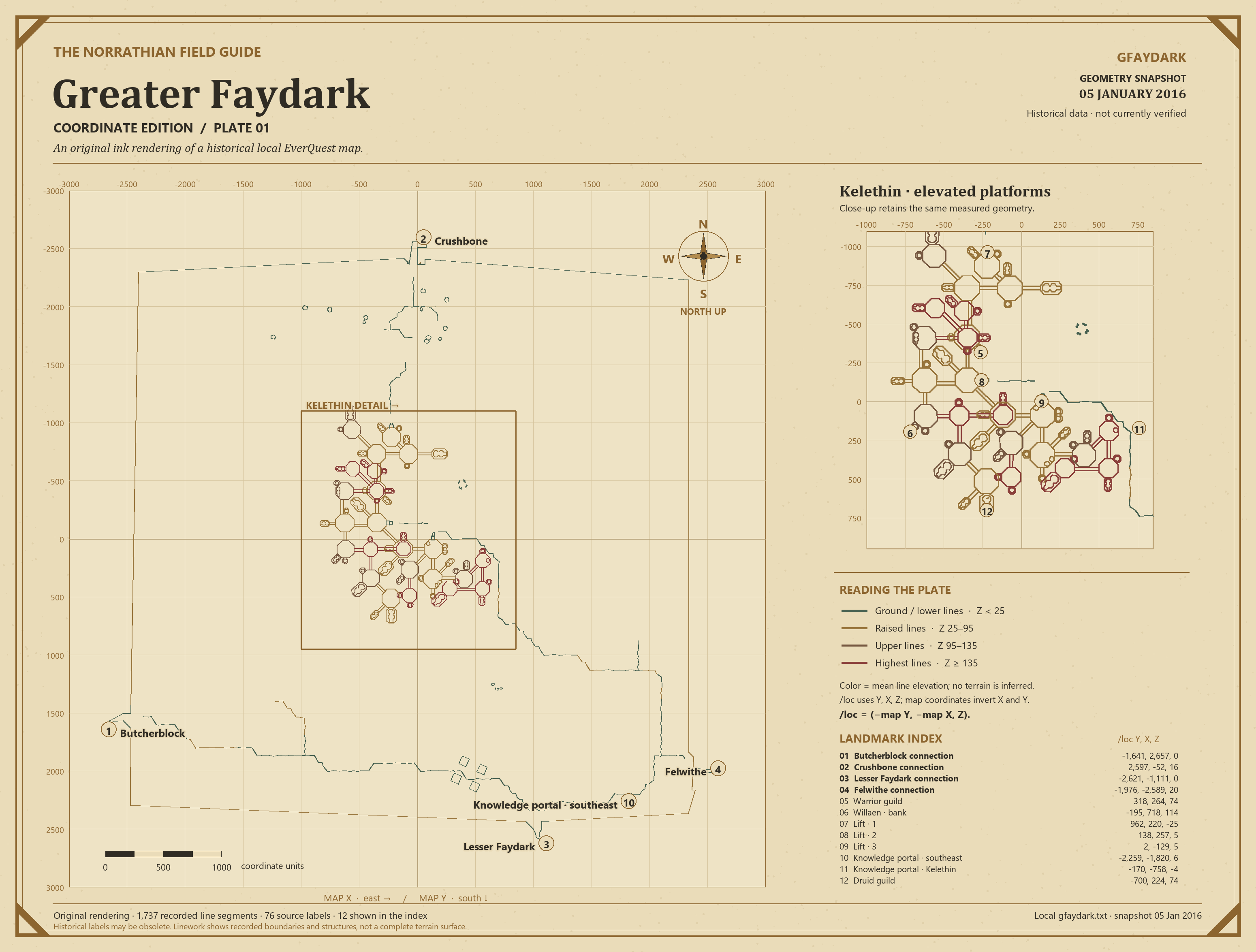
Created from the local January 5, 2016 map snapshot: 1,737 segments and 76 labels. Includes a Kelethin inset, coordinate grid, elevation key and /loc landmark index. Older labels and connections may differ from today’s game.
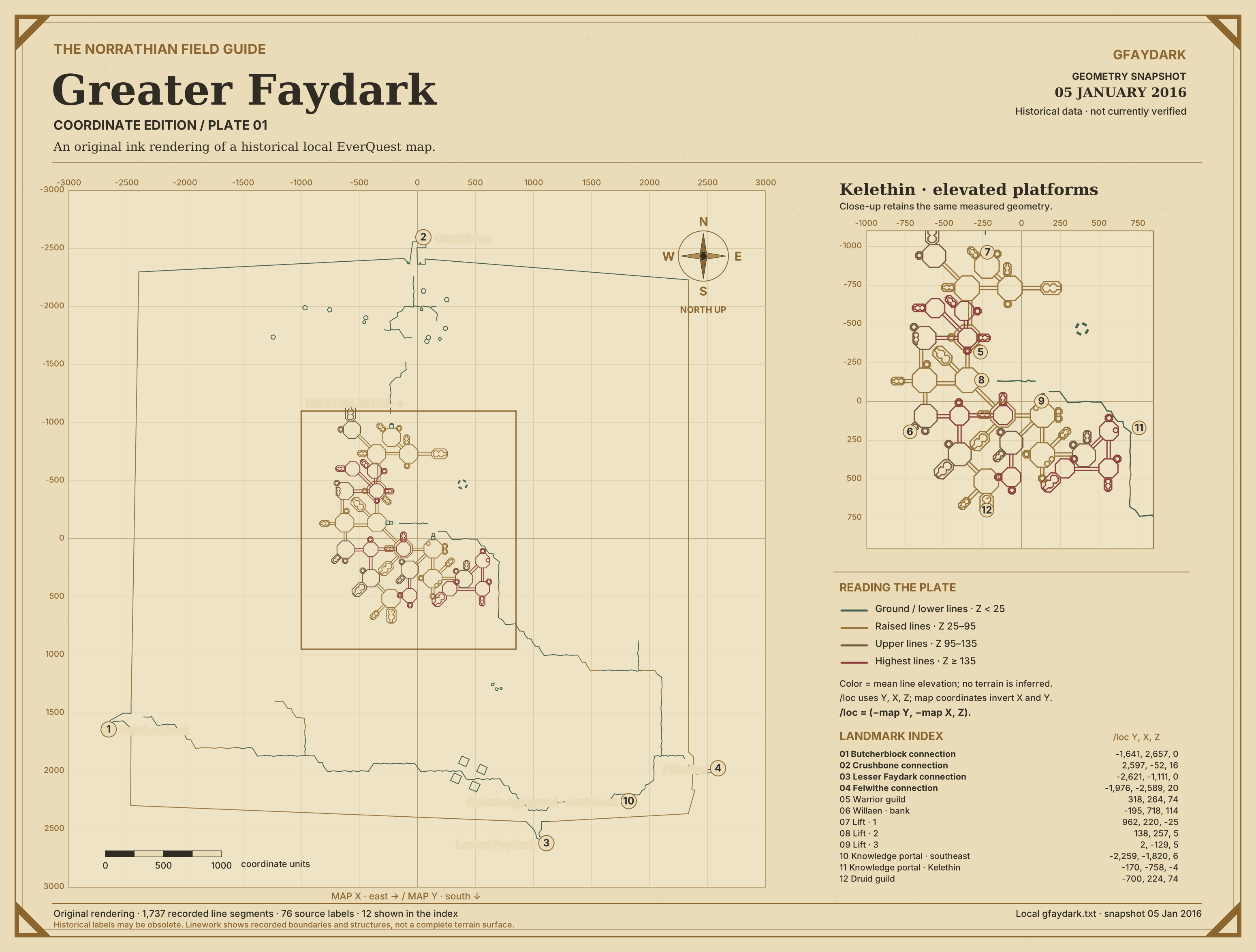
Elevation colors describe map-line endpoints, not a reconstructed terrain surface. Cartographic design and rendering: Zaknaffein / The Norrathian Field Guide. Underlying geometry and labels: historical installed EverQuest map data. EverQuest content © Daybreak Game Company LLC. No book pages or external map artwork were copied. Map provenance & reuse.
Map downloads & art references
Good’s Maps · Goodurden
Detailed zone geometry, NPC labels, quest locations and raid layers. Map pack and updates hosted on RedGuides.
GoodurdenBrewall’s maps
Download in-game zone maps, named locations and useful points of interest.
BrewallMap Preserve
Historical Classic, Kunark and Velious artwork, with Project 1999 references. Artwork stays at its source.
Steve PrutzNorrath Cartographers
EverQuest Legends maps, 3D flights and map editor. Legends reference; not a current Live atlas.
Norrath Cartographers · LegendsNorrath Route Atlas
Legends / classic-era zone and route references.
Norrath Route Atlas · LegendsGood’s Maps by Goodurden and contributors. Browse source TXT data · author’s EverQuest forum updates. Install a pack inside its own map subfolder and choose it in the in-game map’s folder selector.